
Swift Remote2.0.0 - Google Play
You'll be able to see results in few seconds.
Publisher Description
This application is made by, and published on behalf of Sina Nourian.
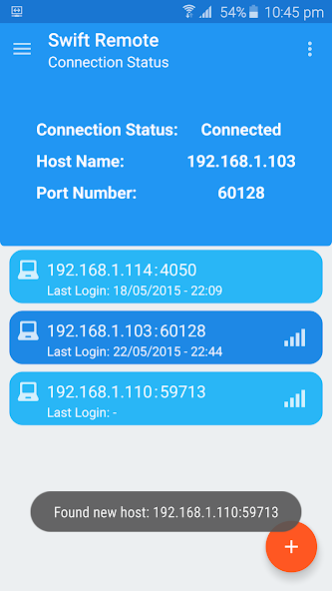
Swift Remote is an application for controlling your desktop computer.
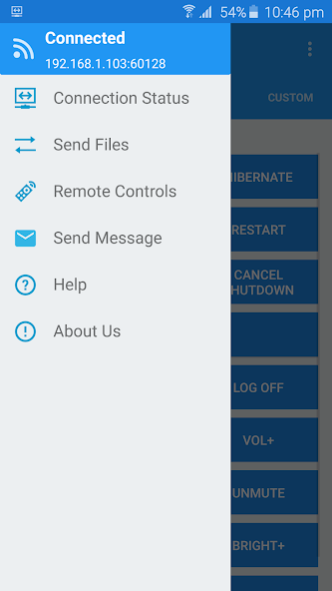
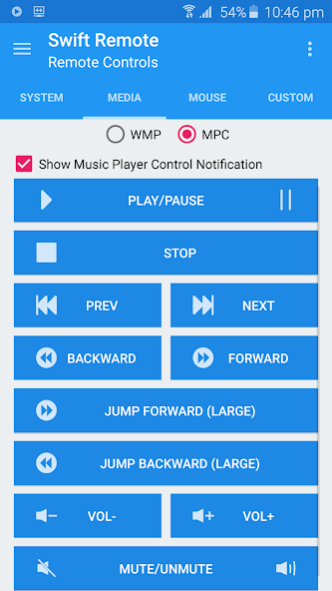
Send and receive files remotely, control your windows such as power controls, volume controls, set a shutdown timer, capture a screenshot and send it to your phone remotely, control your Windows Media Player and Media Player Classic remotely, control mouse, etc...
This program uses NirCmd tool from NirSoft
This application needs Swift Remote desktop application to work. Please download desktop application from here:
https://snourian.com/swiftremote.html
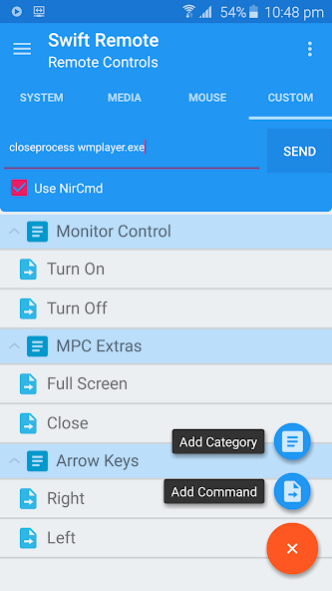
If you want to write your own custom commands, you can check NirCmd's manual:
https://snourian.com/swiftremote.html
Features:
- Connect multiple phones to desktop application
- Transfer Files between desktop and phone
- Control your Windows from your mobile. Power Controls, Shutdown Timer, Volume and Brightness Controls, Take a Screenshot, ...
- Control Windows Media Player (WMP) and Media Player Classic (MPC) with your phone remotely!
- Control your mouse cursor with your mobile's touch pad! You can change mouse sensivity from settings
- Write your own Custom Commands and save them in application! You can do almost anything remotely with the help of NirCmd! Check NirCmd's manual
- Send message from phone to desktop and vice versa and copy them to clipboard
- More features coming soon...
If you like Swift Remote, Please leave a review and/or star rating
Thanks to my friends:
Mehrdad Amini
Soheil Samadian
Parham Adibpour
for testing and giving me ideas.
About Swift Remote
The company that develops Swift Remote is Minooch. The latest version released by its developer is 2.0.0.
To install Swift Remote on your Android device, just click the green Continue To App button above to start the installation process. The app is listed on our website since 2015-06-28 and was downloaded 0 times. We have already checked if the download link is safe, however for your own protection we recommend that you scan the downloaded app with your antivirus. Your antivirus may detect the Swift Remote as malware as malware if the download link to com.p30sina.swiftremote is broken.
How to install Swift Remote on your Android device:
- Click on the Continue To App button on our website. This will redirect you to Google Play.
- Once the Swift Remote is shown in the Google Play listing of your Android device, you can start its download and installation. Tap on the Install button located below the search bar and to the right of the app icon.
- A pop-up window with the permissions required by Swift Remote will be shown. Click on Accept to continue the process.
- Swift Remote will be downloaded onto your device, displaying a progress. Once the download completes, the installation will start and you'll get a notification after the installation is finished.
Program Details
System requirements
Download information
Pricing
Version History
version 2.0.0
posted on 2015-06-29
V2.0.0 Changelog:
- New Design! (Material Design)
- Choose photos and videos from gallary in 'Send Files' page
- Added application to share menu. you can now add files and media and send them from anywhere
- Lots of tweaks
* Desktop Application Changelog:
- Application now gives you a random available port if you leave port textbox empty
- You can now change storage directory
- The port you enter will be saved
Please download latest desktop application from nourian.info website
Disclaimer
Official Google Play Link
We do not host Swift Remote on our servers. We did not scan it for viruses, adware, spyware or other type of malware. This app is hosted by Google and passed their terms and conditions to be listed there. We recommend caution when installing it.
The Google Play link for Swift Remote is provided to you by apps112.com without any warranties, representations or guarantees of any kind, so access it at your own risk.
If you have questions regarding this particular app contact the publisher directly. For questions about the functionalities of apps112.com contact us.
